Getting started
Track your first knitting row in about a minute. Just Knit is the fastest path — counter-only, no pattern needed. Authoring tools come later when you want structure.
Step 1: Open the app
Knit in Time is a web app. Open knitintime.com in your phone or laptop browser. It runs in your browser — no sign-up.
On a phone, you can install it from the share menu (Add to Home Screen) so it opens like a native app.
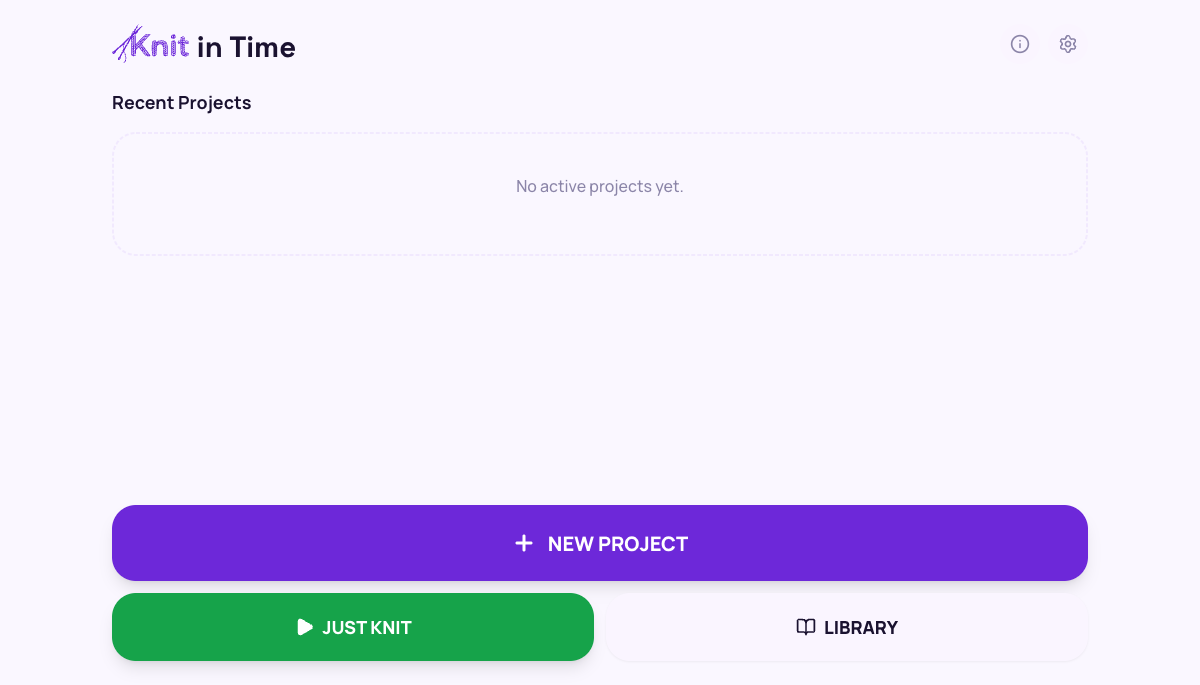
Step 2: Tap Just Knit
Tap the green JUST KNIT button on the home screen. That starts a counter-only session — no pattern, no setup, just a row counter and a per-row timer.
Use it for swatching, free-form pieces, or any time you want to count rows without writing the pattern out first.
Step 3: Track each row
The tracker shows the current row instruction and a giant tap-target. Each tap advances. The timer logs how long each row took.
Hands busy? On a phone, the screen stays awake while a session is active. Tap counts even with a stitch marker poking it.
Step 4: Pause and come back
Lock your screen, walk away, tomorrow's still here. Knit in Time saves your progress automatically. Open the app and the home screen offers a one-tap card to pick up exactly where you left off — alongside an activity calendar of every day you've knit.
Want to author your own structured pattern next? See the authoring guide — the Builder, DSL, and JS SDK let you nest segments, repeats, and conditional rows, or use AI Import to convert an existing pattern.
Ready?
Start a Just Knit session